Receipting Of Money

I am doing something wrong here. Can somebody please assist. I did a test run on my new venture.

I sold items to a customer and i receipted the amount, but it shows double

please share the snap of Sales Invoice in Edit mode also.

You probably created a Sales Invoice and a Receipt which you charged to sales instead of accounts receivable

Here it is

@Joe91 I did the sales invoice, but then nothing showed in the bank. Therefore I created a receipt as well. I don,t know whether this is from the Invoice or the receipt. I thought you must always receipt, because an invoice is only an invoice. As far as my knowledge one receipts if the money is physically in the bank. I might be wrong

Yes, but you don’t put the sale accounts in to the receipt

The simplest way to enter the receipt correctly is to view the Sales invoice and then use the copy to Receipt feature

Thank you

Thank you @Joe91 @Syed_Salman_Ali for your help. the receipting from the invoice seems to work

@Joe91 @Syed_Salman_Ali, Same problem again by duplicating the receipts and payments although I do use the copy to command. It worked fine until I upgraded to the latest version. Bank amount is correct

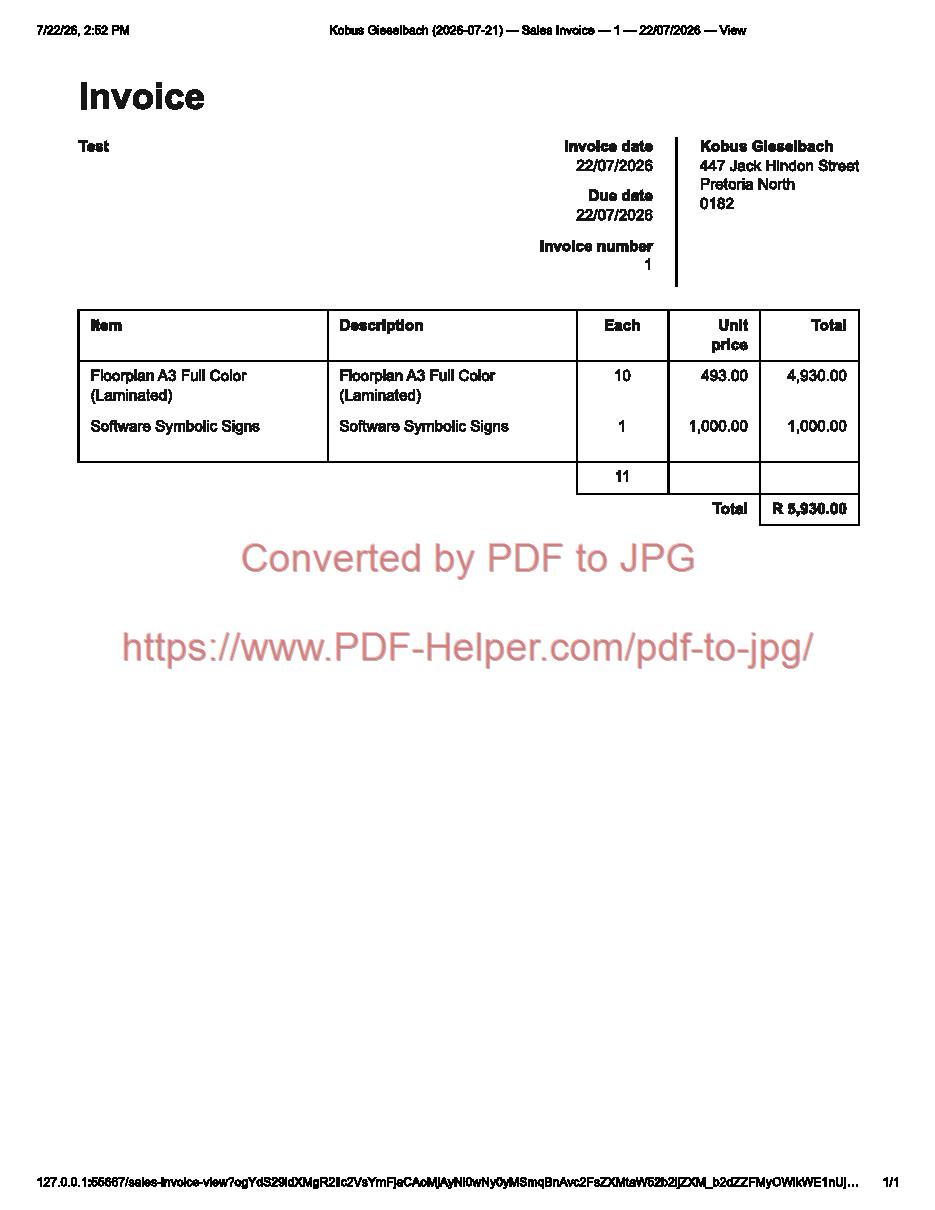
Invoice

Receipt Created by Copy To from the Invoice

P\L Report

BS Report

It is exactly the same with suppliers. Payments are duplicated

I also do not understand why Cash & cash equivalents are there. It seems wrong to me.

I also do not understand why the Suspense Account is there. It seems wrong to me.

When you copy sn invoice to receipt, the transaction affects the Bank or Cashaccount and Accounts Receivable

Not sure how you got this wrong

@Joe91 As I said it was ok before I upgraded to the new version. This is just a test company. let me restore everything and do it step by step just on the receipting side first.

Can anybody please assist. I went through this several times testing. I cannot see where I have done something wrong Invoice Created

Invoice

Supplier Invoice

Supplier Invoice

P\L Statement

BS

Bank

Let us do the Receipting and Payments

Receipting

P\L Statement after Receipting

BS after Receipting

Bank after Receipting

At long last I did figure it out, but I am not sure if it is “Accountingly” correct

What Went Wrong
When I used the Copy to New Receipt button from the Sales Invoice screen, Manager.io pre-filled the receipt lines directly with item: Floorplan A3 Full Color (Laminated) categorised under Sales (Income) account.

By doing this, the software recorded two separate income events:

The Sales Invoice: Debited Accounts Receivable and Credited Sales Income (R4,930.00).

The Receipt: Debited Bank and Credited Sales Income again (R4,930.00).

Because income recorded twice, the P&L Income doubled from R4,930.00 to R9,860.00, VAT liability doubled, and Accounts Receivable (R5,669.50) was never cleared because the money was received as direct sales income instead of paying off the open invoice.

How I Fixed It
Step 1: Editing the Receipt
I Changed the Account from the Income account (Sales - Floorplan…) to Accounts Receivable.

In the Customer dropdown It must still be Customer 1.

I Selected the specific Invoice (04/08/2026) that this payment applies to.

I Saved.

What the Balance Sheet & P&L Will Look Like now after the Fix
Once updated, Manager.io properly reallocateds the funds:

Profit & Loss Statement:

Income reverted to R4,930.00.

Net Profit reverted to R4,616.96.

Balance Sheet:

Accounts Receivable: R0.00 (cleared, since the customer has paid).

Cash & Cash Equivalents: R5,669.50 (money is in the bank).

Provision VAT: R692.54 (correct single-transaction VAT).

Retained Earnings: R4,616.96.

It seems ln Manager.io: I have to do the following: -

If the Invoice has been created already? Receipts/Payments must target Accounts Receivable (to clear the customer’s balance) or Accounts Payable (to clear a supplier’s balance).

No invoice created (Direct Cash Sale/Expense)? Receipts/Payments must target the Income or Expense account directly.

Thank you everybody

Check this video,

@Mabaega @Joe91 @Syed_Salman_Ali , Yes even on the video I can see where I went wrong as I have discovered. “I Changed the Account from the Income account (Sales - Floorplan…) to Accounts Receivable”.

Thank You for the video @Mabaega

That is impossible! When you Copy-to-receipt from the view-screen of a Sales invoice it will always select the relevant Accounts Receivable not any sales item. This is also made clear by @Joe91in his first and subsequent replies and in the video by @Mabaega. Furthermore the guides at https://www.manager.io/guides/sales-invoices say clearly:

Each invoice increases the customer’s balance in Accounts Receivable, representing money they owe you.