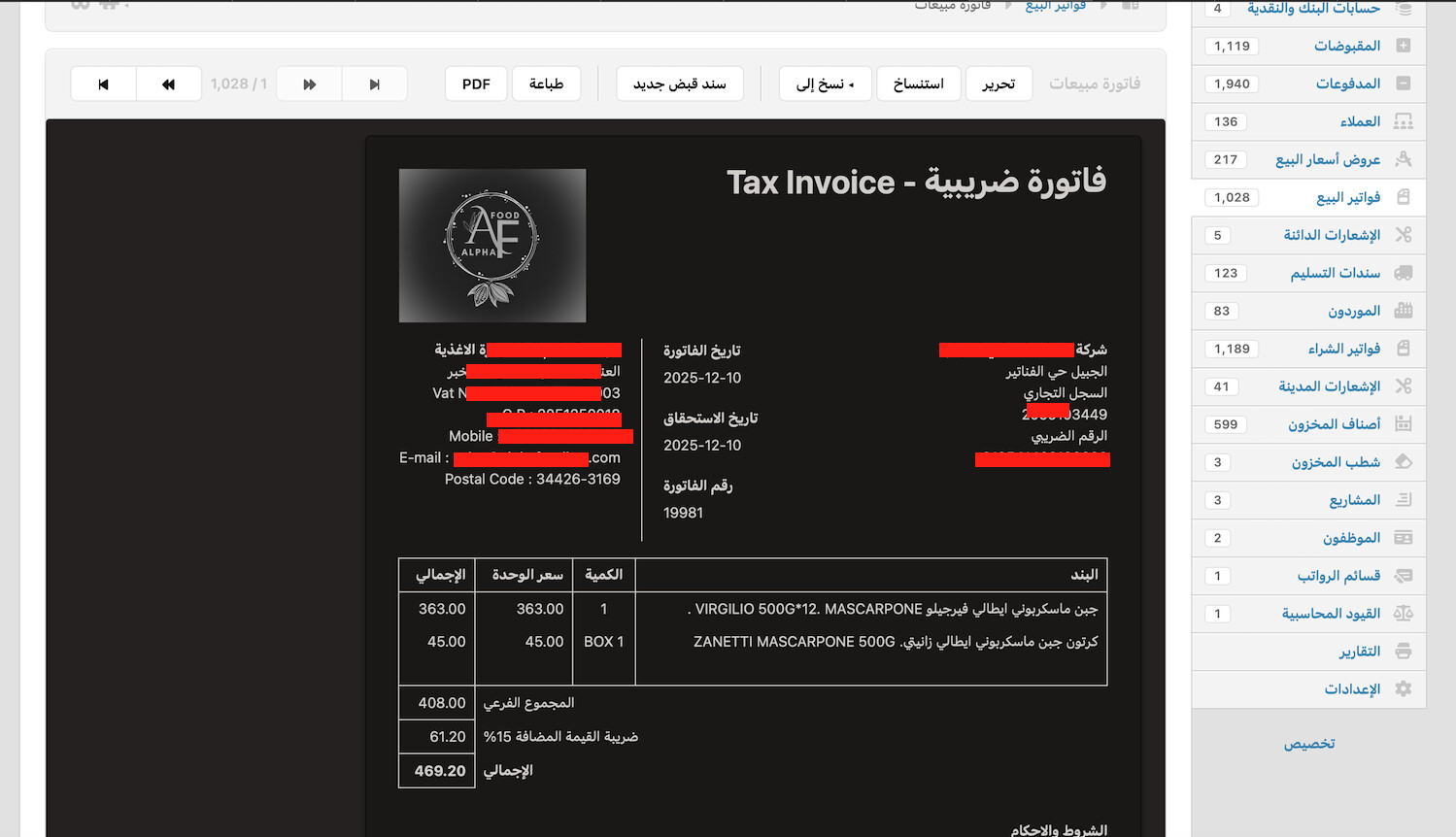

Hello @Esllam_Rashwan,
Light/Dark mode are user preference much like your display language – see how each screenshot is displayed in a different language based on user preference.
If a device is showing Manager in Dark mode, this means that the user clicked this icon  :
:

To switch back, you can click the icon again
Thank you but I traed it don’t change
Maybe you should check the browser settings in the affected device as some browsers have the option to force dark mode while Manager doesn’t.
Looking at the screenshots again. I just noticed that only the invoice and it’s surrounding panel are in dark mode.
Sorry for not paying attention to that earlier.
Have you tried clearing browser cache?
Unfortunately even wiht clearing browser cache
the problem appears in safari browser , but it’s okay wiht others
Ok, so this seems to be a Mac Issue. But unfortunately, I can’t reproduce this issue.
I will place this under bugs, but I need you to furnish the following information to help the developer replicate the issue:
- Version and Edition of Manager
- Version and Edition of your OS and browser
- Whether you are using a Custom Theme
- Any other detail you find relevant
@Esllam_Rashwan what is your version of Safari web-browser?
Version and Edition of Manager ? 25.12.6.3147
Version and Edition of your OS and browser ?

and olso in ( 26.2 )
Whether you are using a Custom Theme ? No
Any other detail you find relevant ?
it’s workig as will in other browsers
Not sure what you mean by line. So it’s broken in Safari but works in Chrome or Firefox?
Right , the problem appears just when use safari browser
I tested this from several devices and several domains
I’ve noticed this too - it seems like Safari handles the ‘prefers-color-scheme’ CSS a bit differently than Chrome or Firefox. Sometimes clearing the browser cache doesn’t touch it, but I found that toggling the system-wide Dark Mode on and off again in macOS Settings occasionally forces Safari to sync back up with Manager’s settings.
Please check if this issue has been resolved in the latest version (26.3.12.3199)
It’s working as well right now thank you