How to solve the disappearing colours
Try using the Light theme before printing, there might be a change.
Or replace your logo with a white background instead of transparent, at least until this bug can be resolved.
I tried all that you mentioned, but nothing changed
The logo I have been using for more than 2 years without any change
I’m not sure what is causing this, but I haven’t experienced the same issue on Windows OS using Mozilla, Edge, or Chrome. Perhaps you could try on a different operating system or browser.
I have been using Safari on my MacBook Pro for 4 years
This issue happened 2 days ago for no reason
Logo and all items’ photos (6500 photos) are having this issue
Yes, that will be useful information for the developers to work on a fix.
That the issue occurs specifically on Safari. For now, we will need to wait until the problem is resolved.
Can you test in Firefox or Chrome? I need to know whether this is specific web-browser issue or something else.


Any update please
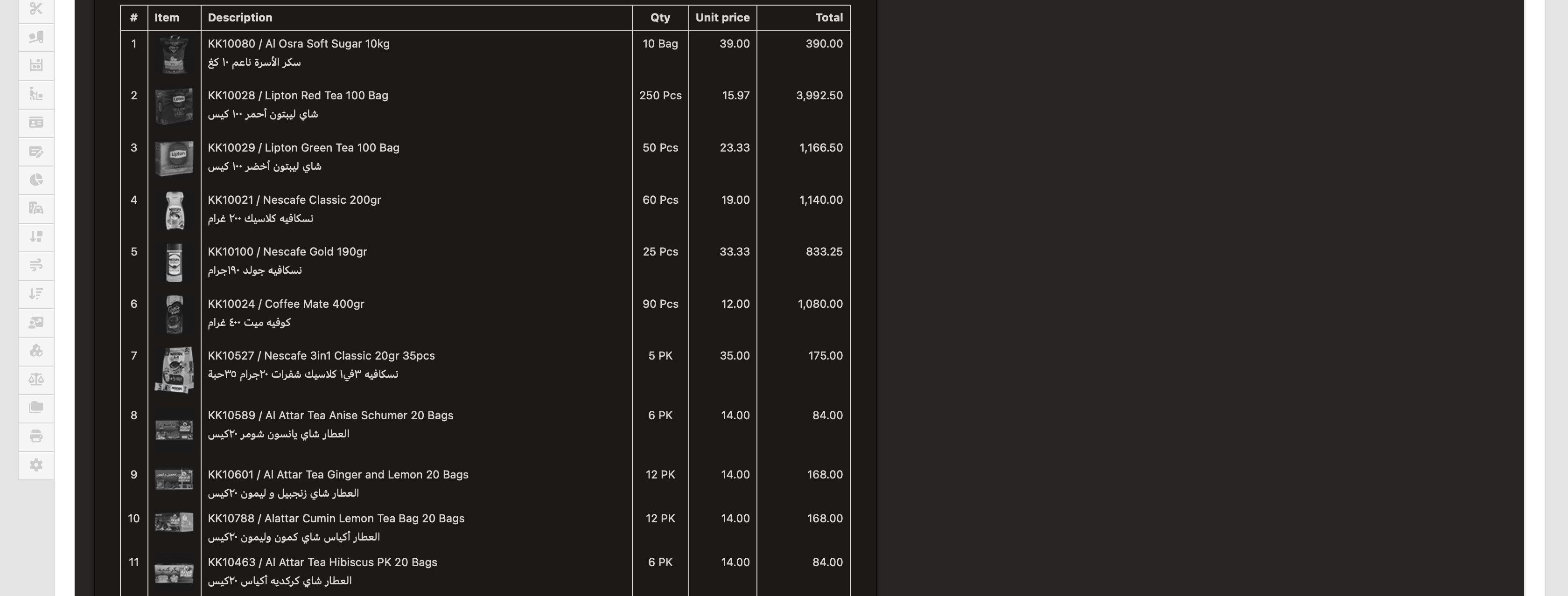
The use of a black background in the dark theme invoice view causes images to be automatically converted to grayscale (likely to maintain compatibility for images with transparent backgrounds as well as those with solid colors).
As a result, logos or colored images lose their visual identity and the overall appearance becomes less consistent.
To preserve readability and visual consistency, it would be better if the background for the view remains white.
@Ahmad-A2Z-Orders it does work as intended. Colors on images in dark mode are inverted and converted to grayscale.
Yes, we could make view screens white but then we lose pure dark mode which would be greater loss. Why is it an issue that images are grayscale in dark mode? If you print the invoice or render PDF, then it will be all correct.
This never happened before, not even a year ago. Then, suddenly, after an update, it started happening, and the product images and our company logo are now black and white. Even if I disable dark mode, the problem persists.
When I click “Create PDF” the file comes out with a ridiculous and ugly font and format (but I have no choice because there’s no other solution)

@Aziz_ul_haq_Aziz it seems like this issue is isolated to Safari. If you use any other web-browser, everything is working as designed. What version of Safari are you on?
Version 26.1 (20622.2.11.119.1)
That’s the latest version so it shouldn’t be a problem. However still - you are the only one seeing this issue as far as I’m aware of which is strange.
The problem still exists, even on the Chrome browser
I think this is not an issue or a bug.
It is more about how Manager displays images in dark mode, where images are converted to grayscale. It will not affect the printed result.
Try switching to the Light theme; there should be no problem with how your images appear.
@Ahmad-A2Z-Orders you seem to be the only person reporting this issue. Also it seems like when you use Chrome, it works as designed. In Safari it doesn’t but still. I haven’t noticed someone else reporting this issue.