The program size will not change. All your data is stored in a separate data file for each business.
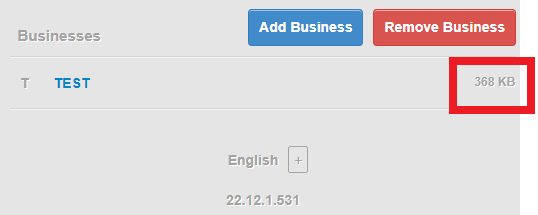
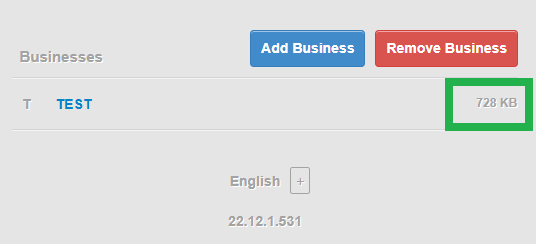
That isn’t showing the program size. It’s showing the data file size for the business named TEST.
its good addition, you should also do something about sizing, normal accountant wont be able to crop/resize all images to same size , as they are only good in their field.
about, what should be size?
you can add 2,3 size options.
even if accountants resize images, they wont optimize it, it might lead to very big data file size
That would take Manager into photo editing category, which is just spreading the program so thinly for no to little return to most users.
You can always use any free editor to edit your image before importing. The basic editor that comes built into your OS would do just fine.
@Ealfardan agree. Image file manipulation is a task for graphics not accounting software.
The only thing I was less sure about is the effect of users display monitor / printer resolution. Showing the image at pixel size may make it too small on a high resolution monitor / printer and too big on a low resolution monitor / printer.
Lubos, Thank You! I have always wanted to use images and I have tried to use all of the previous implementations of images, in every way it was possible to use them.
My vote is that the item name stay visible.
Would you elaborate a bit on how this implementation of images will not break at some point in the future - meaning, will it persist through database structure changes and future program updates. Also, for those of us that would have a lot of images in our databases, what is the upper limit for backing up with the Backup button?
I’m crossing my fingers in hopes this implementation of images will be bullet-proof!
Best Regards!
Please add this function in Purchase Orders as well.
please add show items image on receipt tab
When issuing a receipt this is either based on an Invoice and the invoice has the ability to show item images or it is issued as part of a direct sales transaction and then the customer has the item in hand and thus not sure why printing item images would be useful on a receipt. Maybe you can explain the use case.
some inventory items can close by names and hard to classify, also you can assign receipt items a junior accountant that can’t master inventories.
another surplus some customers when they want to print their invoice its nice to see the item picture.
another benefit is to ask sales man physically which item you buy it today from the daily book
Yes that is why it is an option for invoices, the question is why for receipts as well? You did not yet answer the question why on receipts.
isn’t invoice when you owe customer something? but when you receipt customer on time aren’t you need receipt?
@abdirahim, there are two types of invoices. A sales invoice is a demand for payment you give to a customer when the customer owes you money for goods or services. A purchase invoice is your method for entering a sales invoice given to you by a supplier for goods or services you received.
A receipt can be a way to record selling something to a customer without credit and, therefore, without a sales invoice. Or it can be the method for recording the customer’s remittance of money demanded by your sales invoice.
In either situation, the customer has already decided what to purchase from you. So a photograph of an item on a receipt seems to have no value. The customer is either paying for something they already know about or they are paying against a sales invoice, that is, against a document.
As for internal uses, a photograph is not going to help your junior accountant who is unfamiliar with inventory, because s/he will not select the item in Manager based on the picture, but on its name, item code, or description. (How forgiving will you be when that junior accountant selects the wrong item and then says, “Well, I thought it looked like that?”)