Before, when I printed an invoice or quotation, the file name automatically included the invoice number and company name — which was great. But now, it only saves as the company name and the word “Invoice,” without the number. I need a quick fix, please

I’m experiencing the same issue. Could we please bring back the automatic file naming that includes the reference number?
It was extremely useful when generating multiple PDFs for a client.
I’d use the “PDF” button instead, but the styling (especially the border indentation) looks different compared to the printed version. Thanks heaps @lubos
@lubos Can you please fix this ?
I’m removing this from bugs because I’m not able to reproduce this issue. I have probably fixed it some time ago. Let me know if the issue still persists.
@lubos Yes, the problem is still persisting.
I’m not able to reproduce this issue. What exactly are you clicking on?
@lubos I’ve uploaded the attached screenshots showing the steps I’m clicking on.
I hope this helps solve the issue. Clicking on “PDF” doesn’t help me because I need to control the page margins from the print menu.
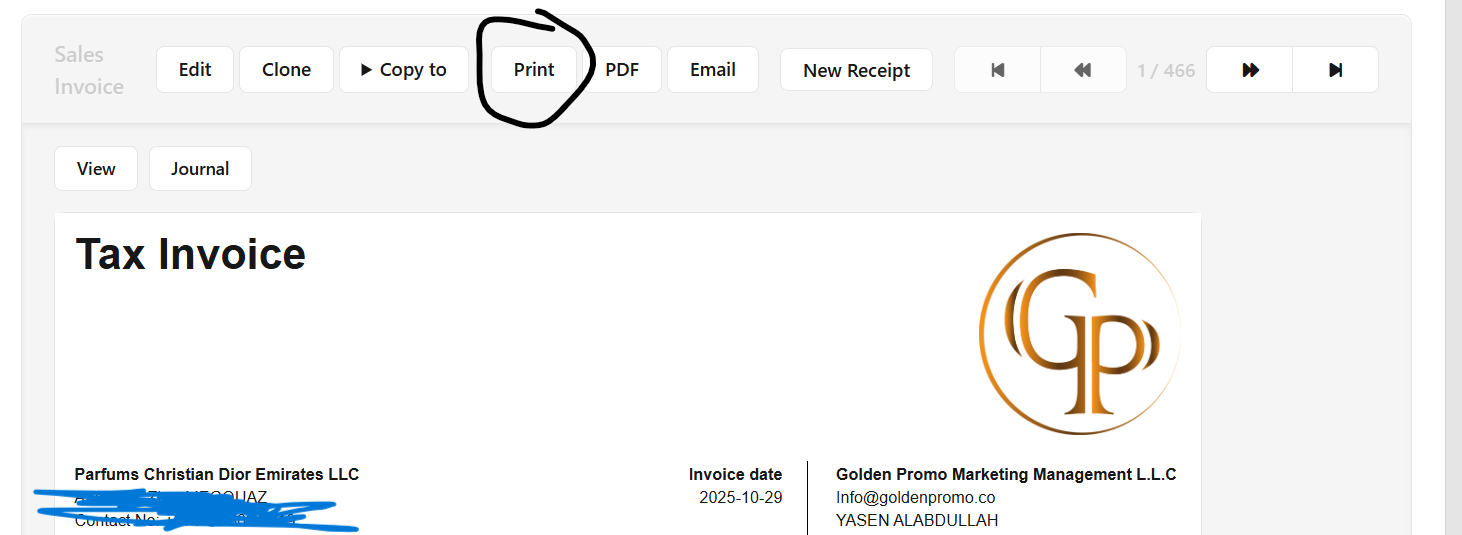
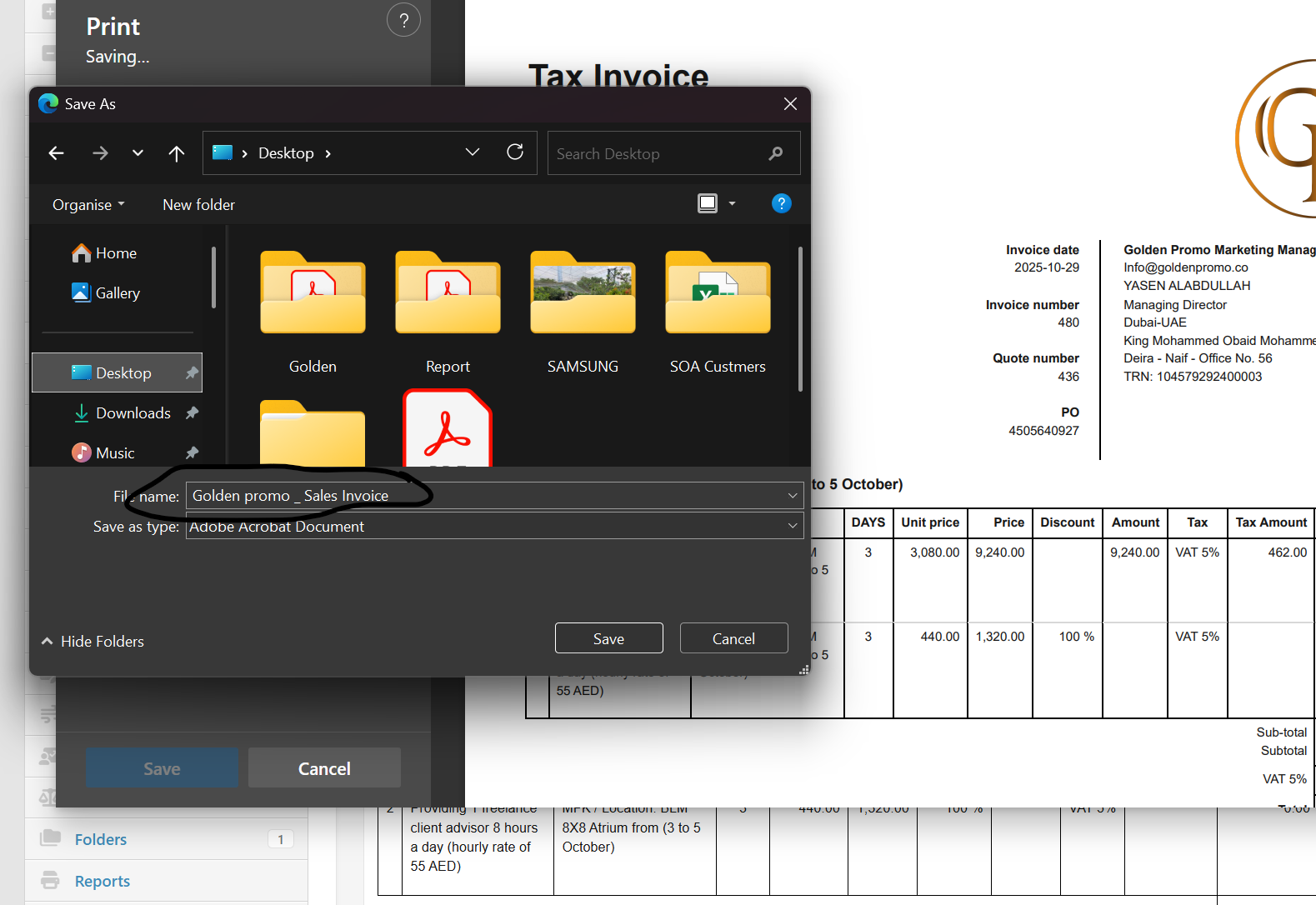

I have just upgraded to the latest version and am having the same issue.
When I used to save PDFs they were given a name - “Invoice Number” & “customer name”.
Example - “Invoice 196215 - Billy Latham.pdf”
Now, they are named “my business name” & the wording “Sales Invoice”
Example - “Coastal Hobbies _ Sales Invoice.pdf”
This means that every single sales invoice I save as a PDF is given the identical file name and just overwrites the previous one.
This is unworkable 
Can this please be rectified ASAP?
Many thanks

I can see it now. You are using Microsoft Edge as a web-browser which is based on Chromium. And Chromium is pulling document title from the wrong place.
Here is relevant bug report:
I will need to apply some workaround because who knows when they will get around to fix that.
I’m actually using Google Chrome as my default web browser.
All I want is for the program to go back to automatically assigning file names like it has for many years, ever since I have been using it (which is over 10 years now)
Same here, but now if got even worse. When i Save as PDF, this is what i get (example for a purchase order).
*******.manager.io_purchase-order-view_ogYPQVYgVEV……..
Also having the same problem
This will cause a big issue for us
We need the invoice number / sales quote number / purchase invoice number + name of the custiomer / supplier
As has been for the last 5 years we have been using this system
This is extremely disappointing
Indeed big issue.
Tried with webbrowser FireFox, which should not be Chromium based, same issue.
This issue should be resolved tomorrow.
Also facing same issue ..
Not make pdf and also not send email from goggle chrome ..
Awaiting positive feedback
This issue should be fixed in the latest version (25.11.13)
We have version 25.11.13.3123, but still the same issue
Thank you, I just upgraded and it is now working perfectly 
Unfortunately, when saving invoices as .pdf files, the naming convention is now:
client name - Invoice - invoice number.pdf
Previously, it was:
Invoice - invoice number - client name.pdf
which immediately ensured a chronological order when saving the .pdf file.
Can the ‘old’ naming convention be restored?
There are programmes such as Total Commander (Windows) and Krusader (Linux) that can be used to change the names of multiple files, but this is not particularly convenient and involves more work.