Hi
According to the documentation:
on the purchase invoices screen, I should be able to see the the total amount also in the base currency in case the invoice is in a foreign currency (check) and there is an exchange rate available for that date (check).
In reality, I can see the total amount only in the foreign currency for some reason. Why could it be that way?
I am using 25.11.24.3140 on linux.
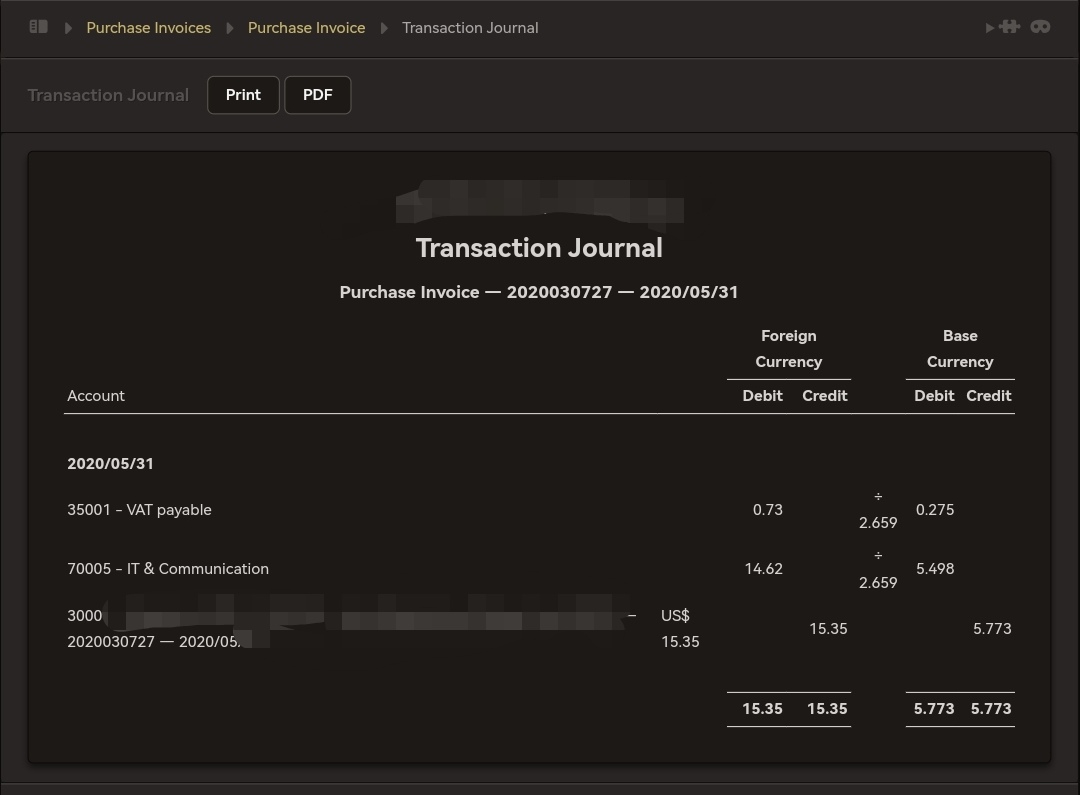
If I am checking the “transaction journal” for the purchase invoice, I can see the amount both in the foreign currency and the base currency perfectly.
What am I doing wrong?
Thank you!!!
Hello @legezam,
Welcome to the forum.
I don’t think this could pass as a bug since, as far as I can recall, Total amount in base currency option was never available for Purchase Invoices, only so for Sales Invoices.
In any case, you can still see these figures by going to Purchase Invoice > View > Transaction Journal
You should see something like this:
Hi @Ealfardan ,
Thanks for your reply!
Then the documentation i pasted above is wrong because it clearly states it should be there:
You’re welcome @legezam 
Now I see.
The documentation needs updating, or this feature should be introduced.
Personally, I don’t find this to be an issue, since tabs are not meant to be reports, but then again, new reports based on Advanced Queries should rely on tab data.
I think @lubos is in a better position to advise on this.
Do you have an idea on how I could create a report for all purchase invoices in the base currency?
You can do so by going to Summary > Transactions > Advanced Queries
From there, you can query the General Ledger (which only shows transactions in base curreny) like so:
In Manager io, purchase invoices do not show the total in base currency on the main screen. This feature is only available for sales invoices. To see the amounts in both foreign and base currency for a purchase invoice, go to Purchase Invoice > View > Transaction Journal. There you will see the totals correctly.