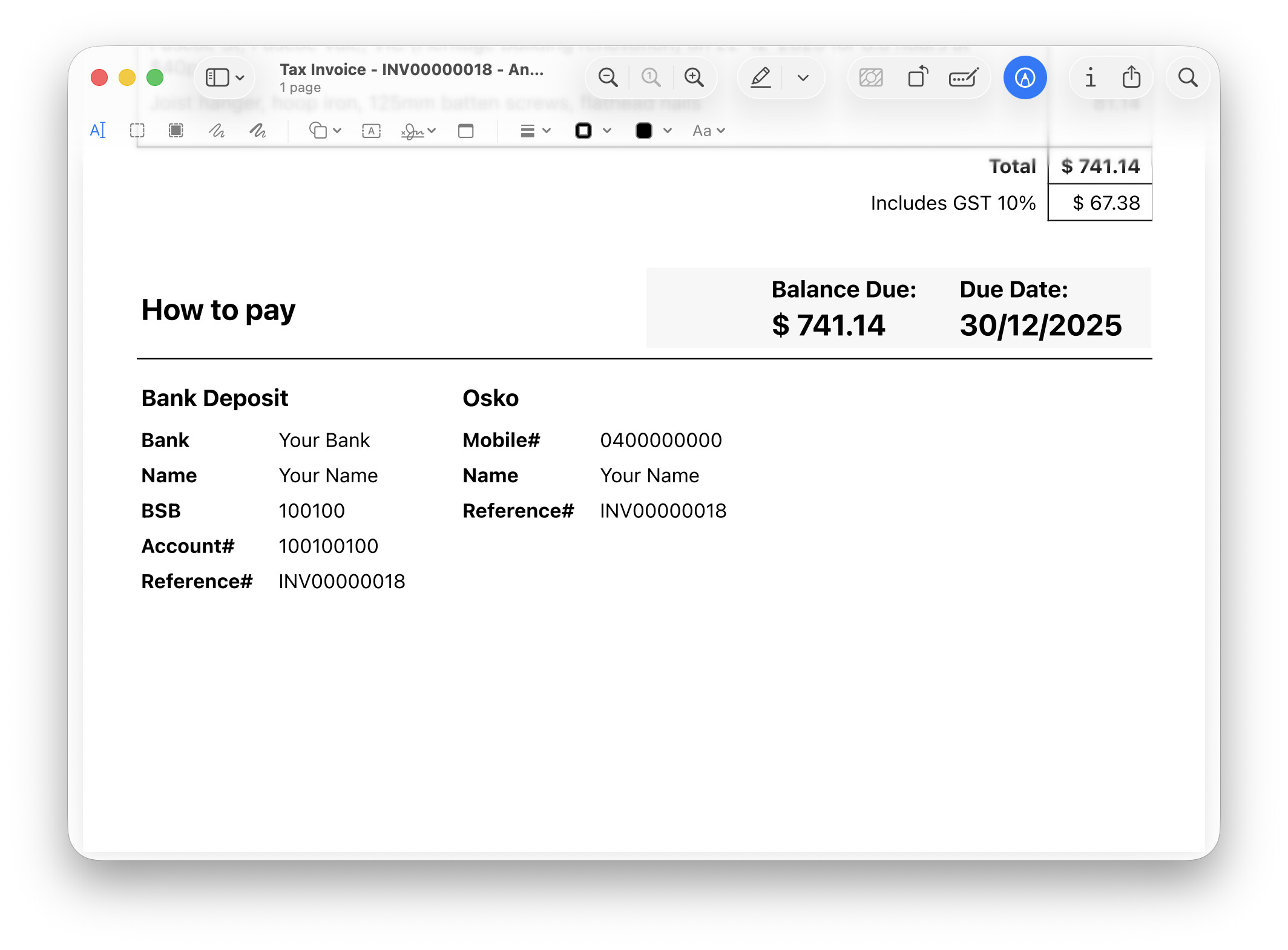
I really enjoy the customisability of PDF templates in Manager IO. I put together a footer for sharing payment options and the balance due, on sales invoices. I thought it would be useful to share. The code below can be placed into Settings > Footers > Sales Invoice > Footer
<table class="table-payment-title" border="0">
  <tr>
    <td>
    <h2>How to pay</h2>
    </td>
    <td>
    <span><h3>Balance Due:</h3><h2>@@BalanceDue@@</h2></span>
    <span><h3>Due Date:</h3><h2>@@DueDate@@</h2></span>
    </td>
  </tr>
</table>

<div class="payment-options">
  <table border="0">
    <tr>
      <td colspan="2"><h3>Bank Deposit</h3></td>
    </tr>
    <tr>
      <td><strong>Bank</strong></td>
      <td>Your Bank</td>
    </tr>
    <tr>
      <td><strong>Name</strong></td>
      <td>Your Name</td>
    </tr>
    <tr>
      <td><strong>BSB</strong></td>
      <td>100100</td>
    </tr>
    <tr>
      <td><strong>Account#</strong></td>
      <td>100100100</td>
    </tr>
    <tr>
      <td><strong>Reference#</strong></td>
      <td>@@Reference@@</td>
    </tr>
  </table>

  <table border="0">
    <tr>
      <td colspan="2"><h3>Osko</h3></td>
    </tr>
    <tr>
      <td><strong>Mobile#</strong></td>
      <td>0400000000</td>
    </tr>
    <tr>
      <td><strong>Name</strong></td>
      <td>Your Name</td>
    </tr>
    <tr>
      <td><strong>Reference#</strong></td>
      <td>@@Reference@@</td>
    </tr>
  </table>
</div>

<style>
  td h2, td h3, td h4{/* heading tag spacing reset */
    margin: 4px 0;
    padding: 0;
  }
  .table-payment-title{/* how to pay container */
    width: 100%;
    border-bottom: 1px solid #000;
    margin: 10px 0;
    padding: 5px 0;
    table-layout: fixed;
  }
  .table-payment-title td:nth-child(2){/* balance due cell */
    background-color:#f7f7f7;
    display: flex;
    justify-content: flex-end;
    align-items: center;
    gap: 30px;
    padding-right: 20px;
    width: auto;
    white-space: nowrap;
  }
  .payment-options{/* payment options container */
    display: flex;
    gap: 20px; /* space between tables */
    align-items: flex-start;
  }
 .payment-options td{
    padding-right: 15px;/* space between payment option table cells */
    padding-bottom: 5px;
  }
</style>
Here’s what it looks like output as PDF, when added to the default template. The formatting appears differently in-app.