We are pleased to introduce a new version extension for Manager.io, designed to help users in Pakistan seamlessly integrate with the FBR (Federal Board of Revenue) Digital Invoicing system.
This extension is a rewrite of the previous FBR Extension, with many adjustments and improvements inside.
Key Features
Send invoices directly to FBR from Manager.io without extra steps
Works with both Sandbox and Production environments
Automatic generation of required custom fields during setup
Built-in QR code generator for tax compliance
Real-time validation with clear error handling so you know what went wrong
Extras
A dedicated theme based on the default Manager template, customized and fine-tuned for FBR integration
@Mabaega after updating with new extension,
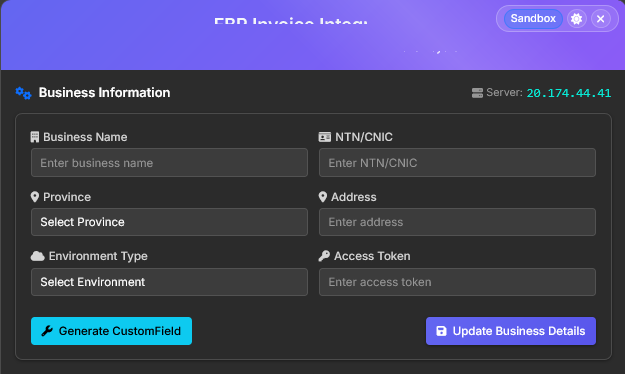
Graphic became more appealing and color full got the Dark mode also, appreciated.
but in Business Details we don’t see Bearer Token.
when we start
this window help us to enter Bearer Token and we can post Invoices in Sandbox Environment. when we clear our all Scenario we get Production Environment Code through this we can post real time invoice to FBR.
How we can update this New Token in system, are we skipping any step…
The Bearer Token is securely stored within the Business Detail, but it will remain hidden from the user since no actual Custom Field is created.
To switch from Sandbox Mode to Production, you only need to register using your real business data.
If needed, you can also re-register by resetting the Business Detail data.
When submitting an invoice, the system will automatically redirect you to the Integration Setup.
Unauthorized access: Provided seller registration
number is not 13 digits (CNIC) or 7 digits (NTN) or the
authorized token does not exist against seller
registration number
Kindly please let me know where I am being error, my company NTN no is correct.
Syed_Salman_Ali yes i am getting same after multiple times.
Can you please send leave your contact number so i can get your precious help/guidence from you.
{
“success”: false,
“data”: {
“dated”: “2025-09-20 15:38:19”,
“validationResponse”: {
“statusCode”: “01”,
“status”: “Invalid”,
“error”: “”,
“invoiceStatuses”: [
{
“itemSNo”: “1”,
“statusCode”: “01”,
“status”: “Invalid”,
“errorCode”: “0013”,
“error”: “Sale type is provided. Please refer to relevant reference API in the technical document for DI API for valid sale types.”
}
]
}
},
“message”: “Validation failed, please review the server response for details”
}
I am facing the issue any body know ?
@Zeeshan_Khalid Hopefully, the rest of your scenarios will have been completed and you will only see this one problem. which Scenario are you trying to clear..?
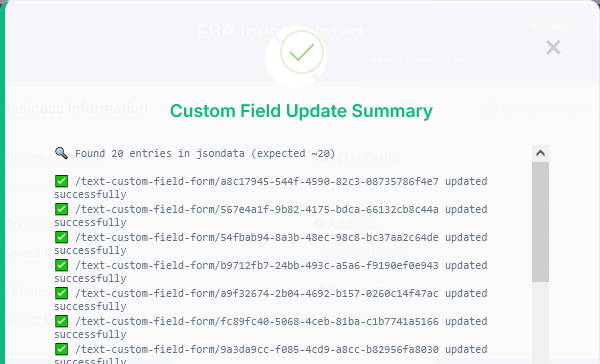
I accidentally missed the part where it was required to click on “Generate Custom Fields“ to generate fields in DB.
now i don’t know how to go back, there no option to do that now, i deleted extension and installed again, but I am getting same issue.
now I see option for “Validate” that is not successful because data is not formatted correctly , how can I go back and add custom fields
thankyou, i was looking reset option in extension and invoice, I got it now
I am facing failed validation due to HS code, HS code is mentioned but its not transmitted, it also shows empty under “einvoice”
response is
“errorCode”: “0044”, “error”: “HS Code cannot be empty. Please refer to relevant reference API in the technical document for DI API for valid HS Code”
But HS code is mentioned inside newly created HScode field, i can see HS code in “invoice” tab under strings, but its empty in “einvoice”
Sandbox enviroment
Update: Got it HScode is not working if directly put into sales invoice, it is working when i use in inventory item directly. it need update I think.
 Extension URL: https://fbr-extension.azurewebsites.net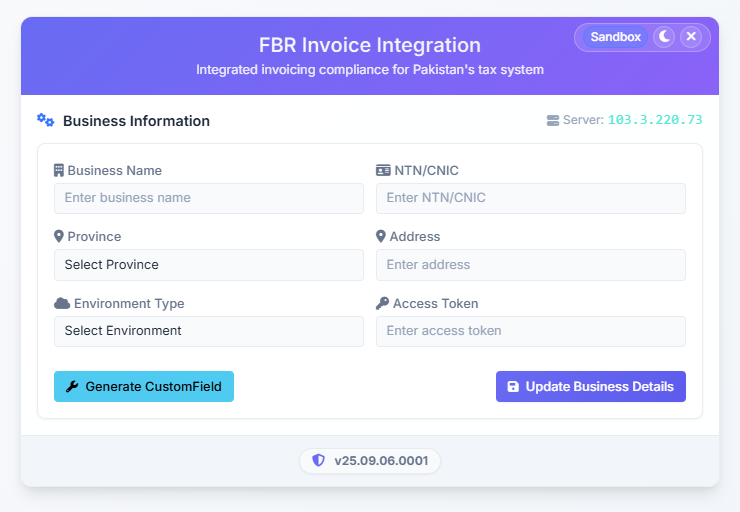



 (make it empty)