Hello everyone,
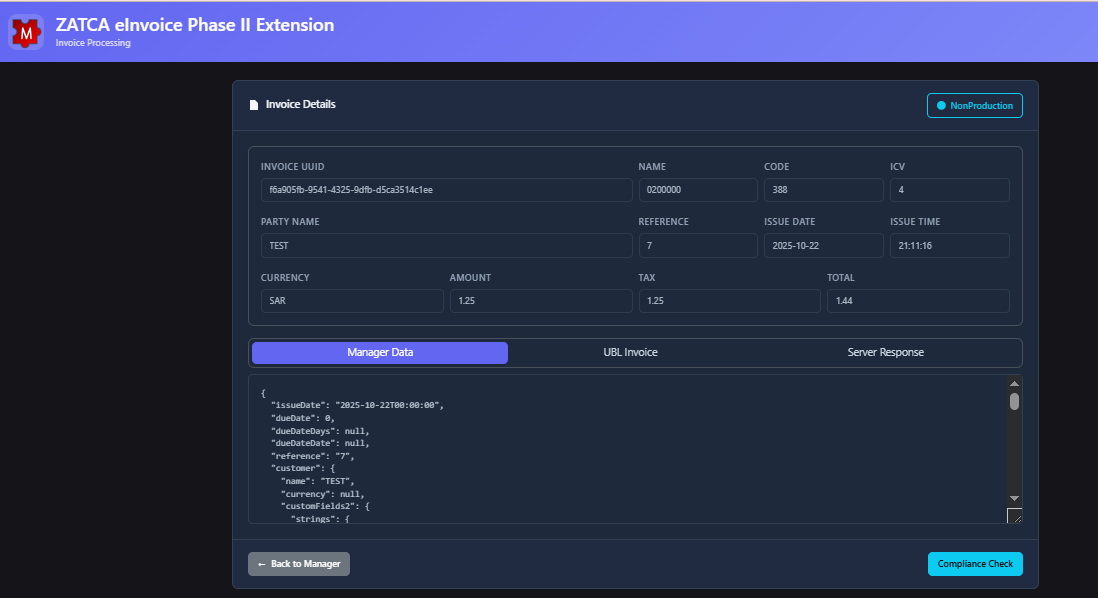
I would like to share a new extension for Manager.io that integrates directly with the official ZATCA (FATOORA) e-Invoice platform in Saudi Arabia.
 This extension can also work side-by-side with ZatcaEGS using the existing relay facility.
Businesses that already rely on ZatcaEGS can continue using it while adopting this extension for Phase II compliance, ensuring smooth transition and compatibility.
 Extension URL: https://zatcaextension.azurewebsites.net/

 What the Extension Does
The ZATCA e-Invoice Phase II Extension adds full support for Saudi Arabia’s Phase 2 e-Invoicing requirements.
Main functions include:
- Registering (onboarding) the business unit with ZATCA.
- Converting Sales Invoices and Credit Notes into ZATCA-compliant e-Invoices.
- Validating invoices before transmission to ZATCA.
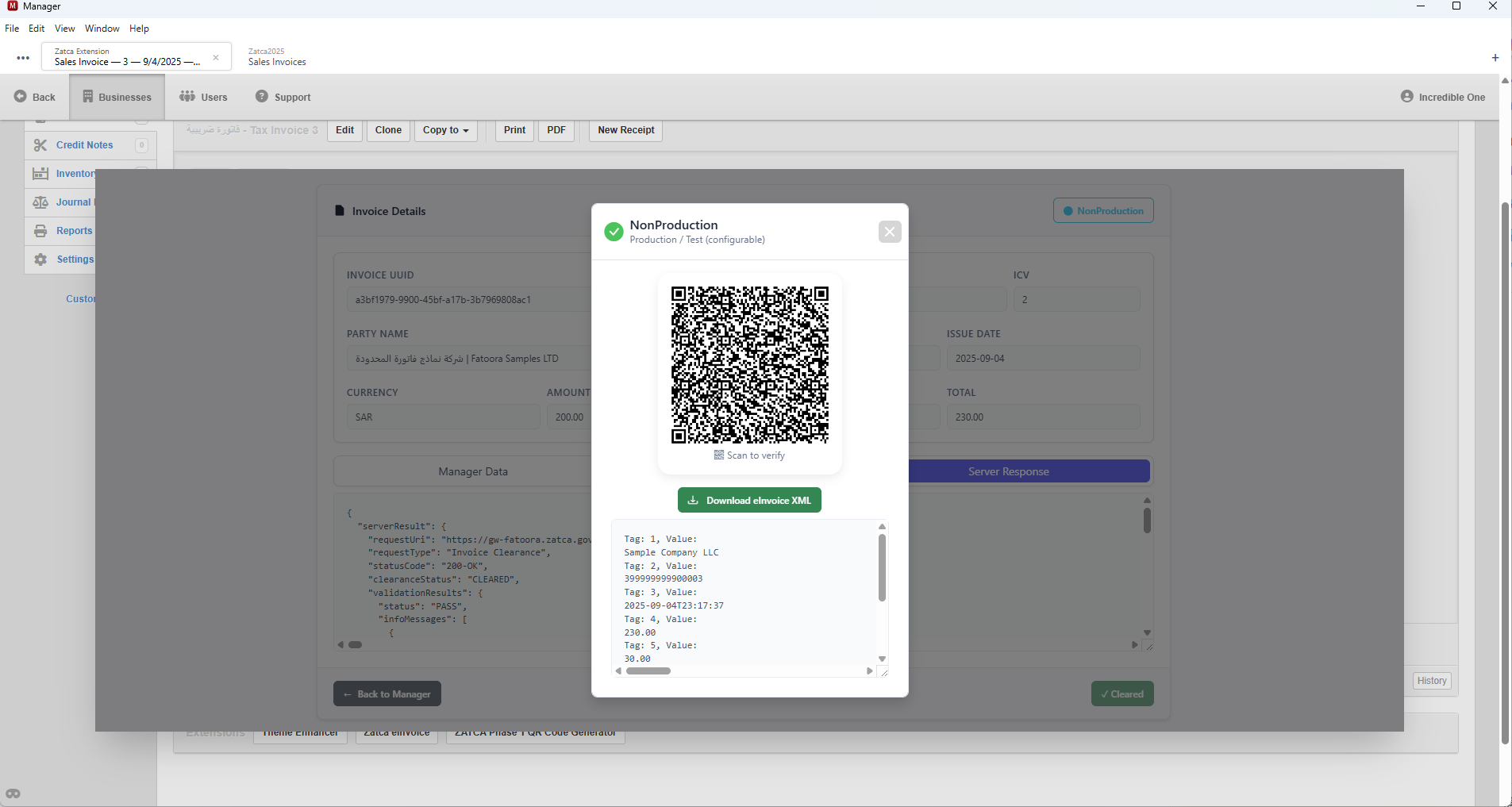
- Submitting invoices for Clearance (Standard) or Reporting (Simplified).
- Updating Manager invoices automatically with ZATCA responses (status, ICV, PIH, QR Code).
 Installation
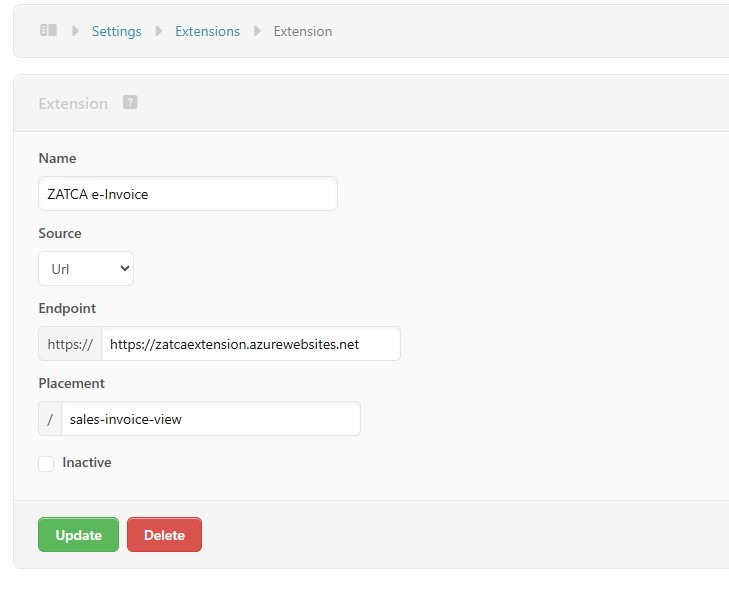
- Go to Settings → Extensions in Manager.
- Create a new extension with:
- Extension Name:
ZATCA e-Invoice - Source:
Url - Endpoint https://
zatcaextension.azurewebsites.net - Placement:
sales-invoice-view
- Save. The extension button will appear when viewing a Sales Invoice.
- Repeat the same steps for Placement:
credit-note-viewto enable Credit Note processing.
 Integration (Onboarding)
When the extension is used for the first time, an Integration Wizard starts:
- Update Business Data (required fields are added automatically).
- Enter business details as registered in the ZATCA portal.
- Generate CSR.
Generate OTP in the ZATCA portal.
- Get CCSID (Compliance Certificate).
- Get PCSID (Production Certificate).
- Onboarding is completed — Manager is now ready to submit invoices to ZATCA.
 Invoicing Workflow
- Prepare invoices with complete customer details, correct tax codes, and tax categories.
- Invoice numbers must be 7 digits:
- Start with
01→ Standard Invoice (Clearance). - Start with
02→ Simplified Invoice (Reporting).
- Start with
- Select the correct payment type.
- Validate invoices with Compliance, then Submit them.
- Manager will be updated automatically with ZATCA responses (CLEARED/REPORTED, ICV, PIH, QR Code).
 Important Notes
- Always backup your Manager database before using the extension.
- Test all invoice types in the Simulation Environment first.
- Only after successful tests, proceed with onboarding for the Production Environment.
 Feedback
This release is published for testing.
I would greatly appreciate feedback from the community — especially users in Saudi Arabia who need ZATCA Phase II compliance in Manager.
For questions or discussion, please reply here.