In Egypt, we have a legal requirement called the “General Journal Book” (دفتر قيود اليومية العامة), which must include all journal entries that impact the financial statements — namely, the Income Statement and the Balance Sheet.
I’m trying to extract such a list from Manager (self-hosted version), but I couldn’t find a direct report that includes only those entries in a proper chronological format.
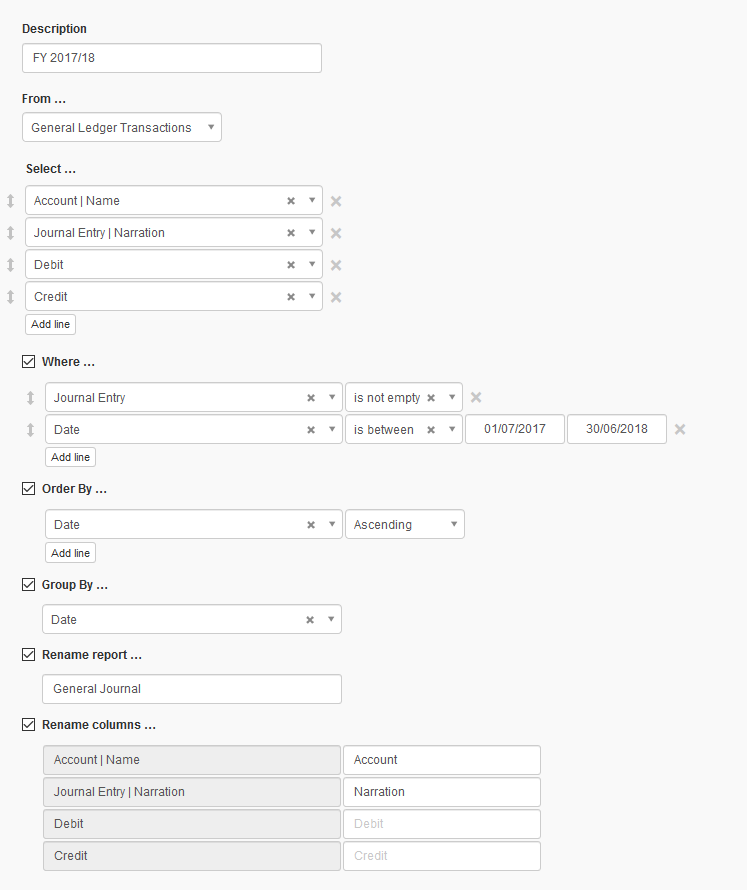
So, I created a custom report (as shown in the attached image) that captures all journal entries I recorded in the program — except for the opening balance accounts used for the balance sheet.
Is there any way to include those opening balance entries in the same report?
Thank you for the suggestion.
I tried entering 01/01/0001 as the “From” date in the custom report, but unfortunately it didn’t show the opening balance accounts.
It seems that opening balances are not treated as regular journal entries in the custom report engine.
Thanks
In addition to changing the “From” date you will also need to change the date in this parameter in your report definition. Also note that each time you Edit the report you will have to reset these dates to 01/01/0001.
It appears that you are using a fairly old version of Manager. This makes it difficult for other forum members to troubleshoot any issues. The version you are using may pre-date numerous changes to Starting Balances methodology including the ability to use journal entries to record Starting Balances. What version of Manager are you using?
بالطبع، إليك رد مهذب واحترافي يمكنك كتابته لتوضيح أنك تستخدم إصدار حديث، مع شكر الشخص على المعلومة:
Thank you for the clarification and the screenshots.
I’m currently using Manager version 25.7.24.2532 (self-hosted).
So I believe it includes the recent updates related to Starting Balances.
Anyways, I don’t think that your current setup will retrieve your Starting Balance entries, simply due to the fact that they are undated – which is a side effect of not having any Start Date. @lubos, please reconsider
Anyway, your solution is much simpler than this. Simply go to Journal Entries > Journal Entries - Lines and Copy to Clipboard.
You can use Edit Columns to select the columns you need to show
Thank you so much for the explanation and the practical workaround — that really helps!
I now understand that Starting Balances won’t appear in the custom report simply because they are undated, due to the lack of a Start Date in the business settings.
However, when I entered the starting balances, the system didn’t ask me to enter any date, and I’m not sure where exactly to set the “Start Date” that controls this behavior.
Also, I tried the method you suggested — going to Journal Entries > Journal Entries - Lines — but unfortunately, it does not show any of the starting balance entries in my case.
Any further guidance would be appreciated.
Also, sorry for the Arabic lines that appeared earlier — I forgot to remove them after translating my question using AI translation. Thanks again for your patience and support!
As for including starting balances, I don’t think it’s an issue they are undated. If you are asking for transactions from certain date, then opening balances can be included and they are not necessarily the same as starting balances.
Clicked on the blue figure under a specific account
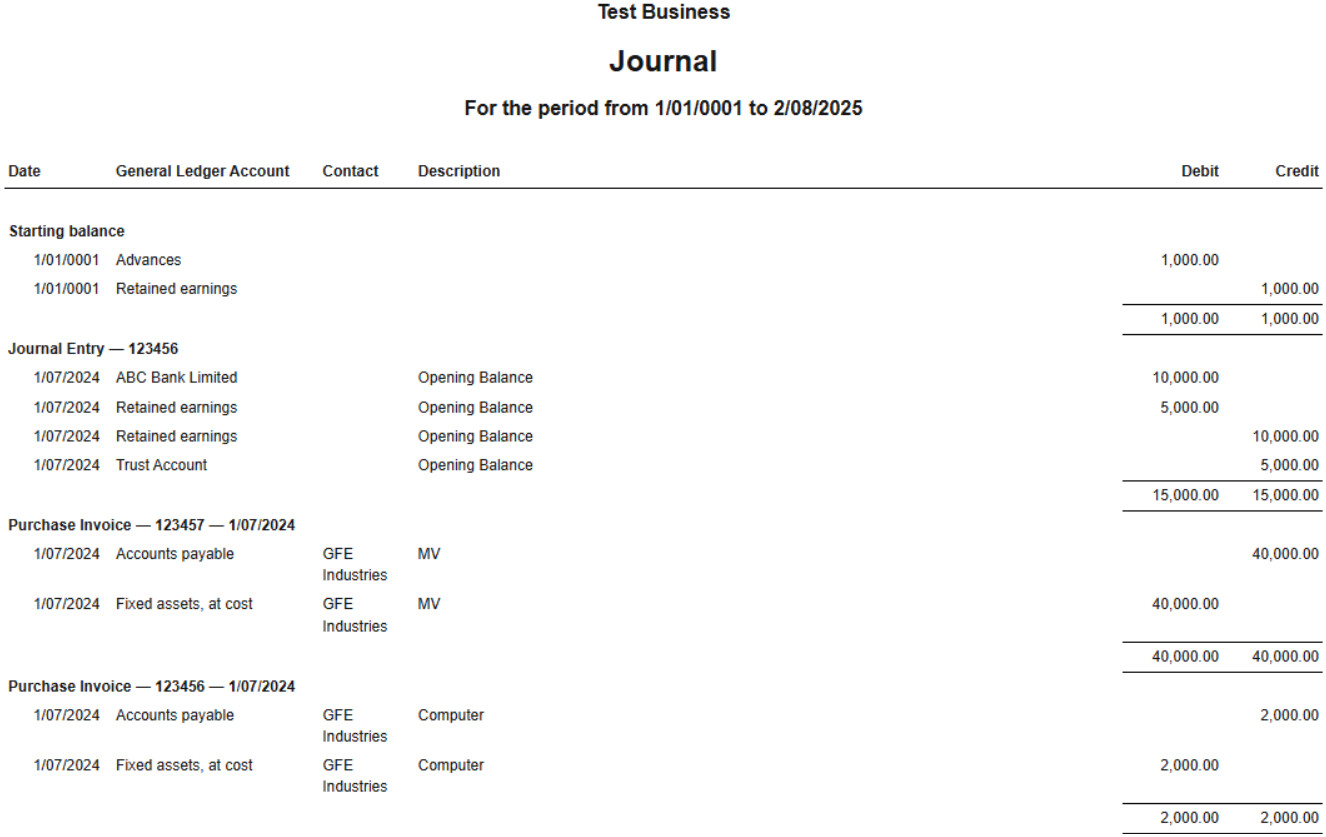
I was able to see the Starting Balance transaction listed, which is great — but it has no date assigned to it.
My original request was to view the opening journal entry for the account itself, and to understand what date (if any) Manager assigns to the starting balance transaction behind the scenes.
So far, I still can’t find a way to view or control the date associated with the starting balance entry.
I think the issue would be better handled if Starting Balances were entered through the Starting Balances screen with a user-defined date, rather than being system-generated and undated.
In my case, I believe the issue happened because I entered journal entries before setting the Starting Balances. As a result, the program does not assign a visible or consistent date to those starting balances, which makes it difficult to include them in reports in a proper chronological order.
It would be helpful if Manager allowed users to explicitly assign a date to each starting balance entry — this would make reporting more consistent and avoid confusion
While using Journal Entries for starting balances might allow me to assign specific dates, it creates problems in other areas of the system.
For example:
The Cash Flow Statement does not correctly interpret “cash at beginning of period” unless the cash balance is entered via the Starting Balances feature.
Similarly, inventory balances must be entered using the Inventory Starting Balances screen; otherwise, reports like Inventory Value Summary or Inventory Profit Margin can produce inaccurate or incomplete results.
So from what I’ve seen, using Journal Entries for opening balances breaks consistency across reports, even if it gives more control over dates.