Help!
The equipment vendor I work with offers trade-in credits to customers. I am to given them a set amount of discount and then the vendor reimburses me. The discount has to show up on the customer invoice (not on a later statement) and it has to be specific to the item being traded in - some invoices may have a couple of these on them.
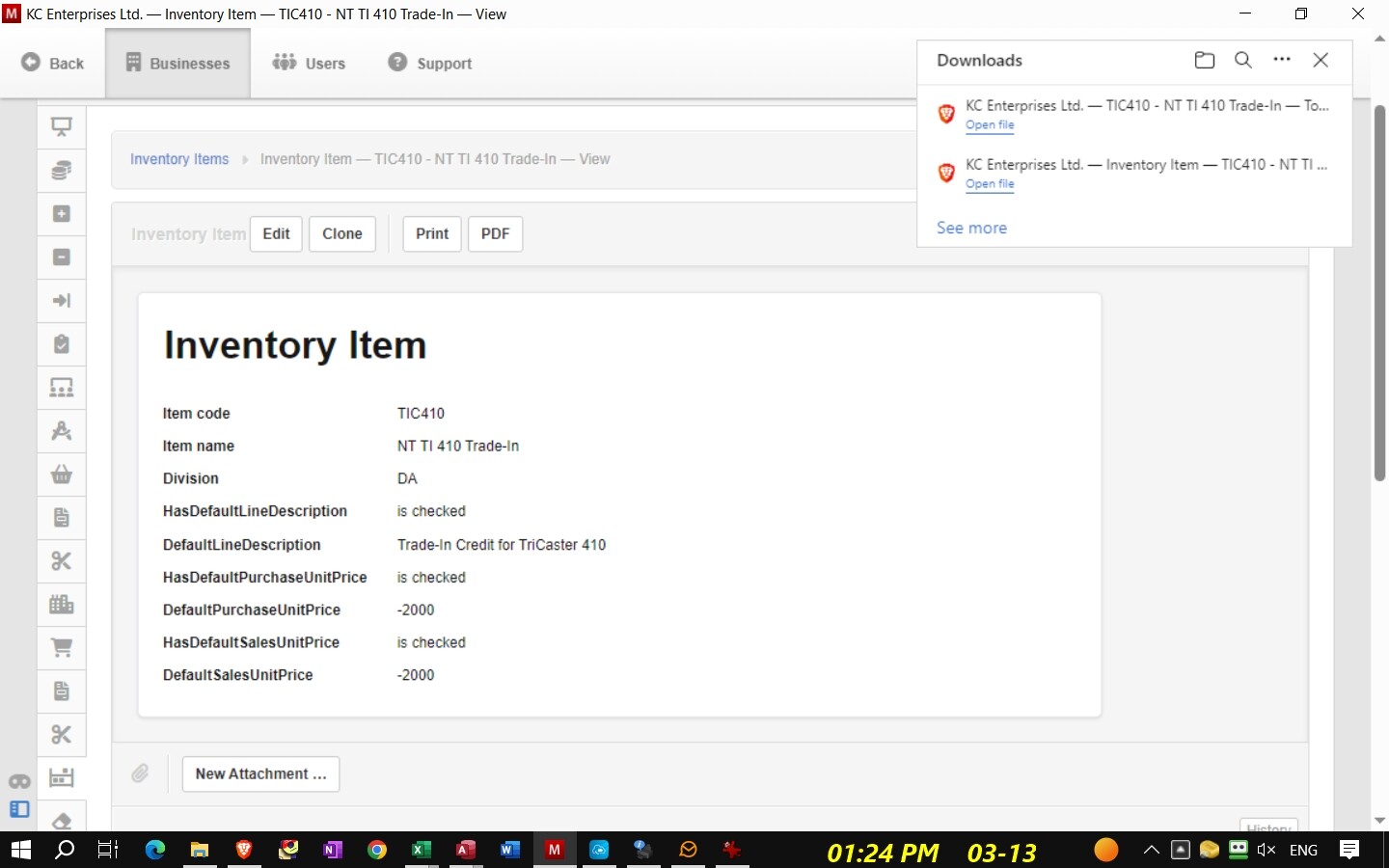
To do this I set up inventory items for the trade-in credit amount and ‘sold’ that credit item to the customer. When I received the reimbursement it was a ‘purchase’ of that inventory item (at the same negative amount). That seemed the easiest way to clear the item. It worked fine until I recently installed the newer software. Now it refuses to admit I can have an inventory item with a negative cost and has changed everything going back 3 years in my system.
I don’t even know how to begin to fix this issue. I was trying to do my taxes today (in the US they’re due on 3-15 for corporations) and my Balance Sheet is completely off. How do I handle showing a trade-in item as a line item on an invoice yet have it come out properly in the back end of the system?
I’ve included the inventory item listing and show how it’s handling it now with sales/purchases.
Inventory items are only for items that you hold for sale to customers.
Trade-in discounts to customers should have been credited to an asset account on your balance sheet or as a entry into the supplier’s account payable. When you received the payment from your supplier, this would have been recorded against this asset account or straight to the supplier account.
You could use non-inventory items to simplify the sales invoicing
I don’t know how many entries you have - would it be possible to redo the previous entries?
There’s probably 40+ entries which would need to be changed - in the invoices for customers and then in the receipts for the vendor’s repayment to me (and the the supplier’s accounts payable). It’ll take a while but I guess it has to be done, regardless. Thank-you for the idea of using a Non-Inventory item. It never occurred to me. The Trade-in amount from the vendor actually has a SKU with them and has to be on my PO to them in order for it to happen. Guess that just got me in ‘inventory’ mode . . . . .
Sigh.
Non-inventory items are shortcuts for entering line items in many sales- and purchase-related transaction forms in Manager. They are completely optional. Unlike inventory items, they are not required for any transaction entry. But once defined, they help:
Standardize terminology by always referring to a product or service with identical language
Improve accounting accuracy by always posting similar income or expense items to the same accounts
Store and apply consistent prices to commonly sold or purchased goods or services
Speed up entries by automatically filling information on forms