Hello Manager.io community,
Following my earlier theme release — and incorporating the security feedback from @eko that hardened the previous series — I am releasing the next addition to the INSPIRON Suite: Atlas Statement V1.0, purpose-built for account statements.
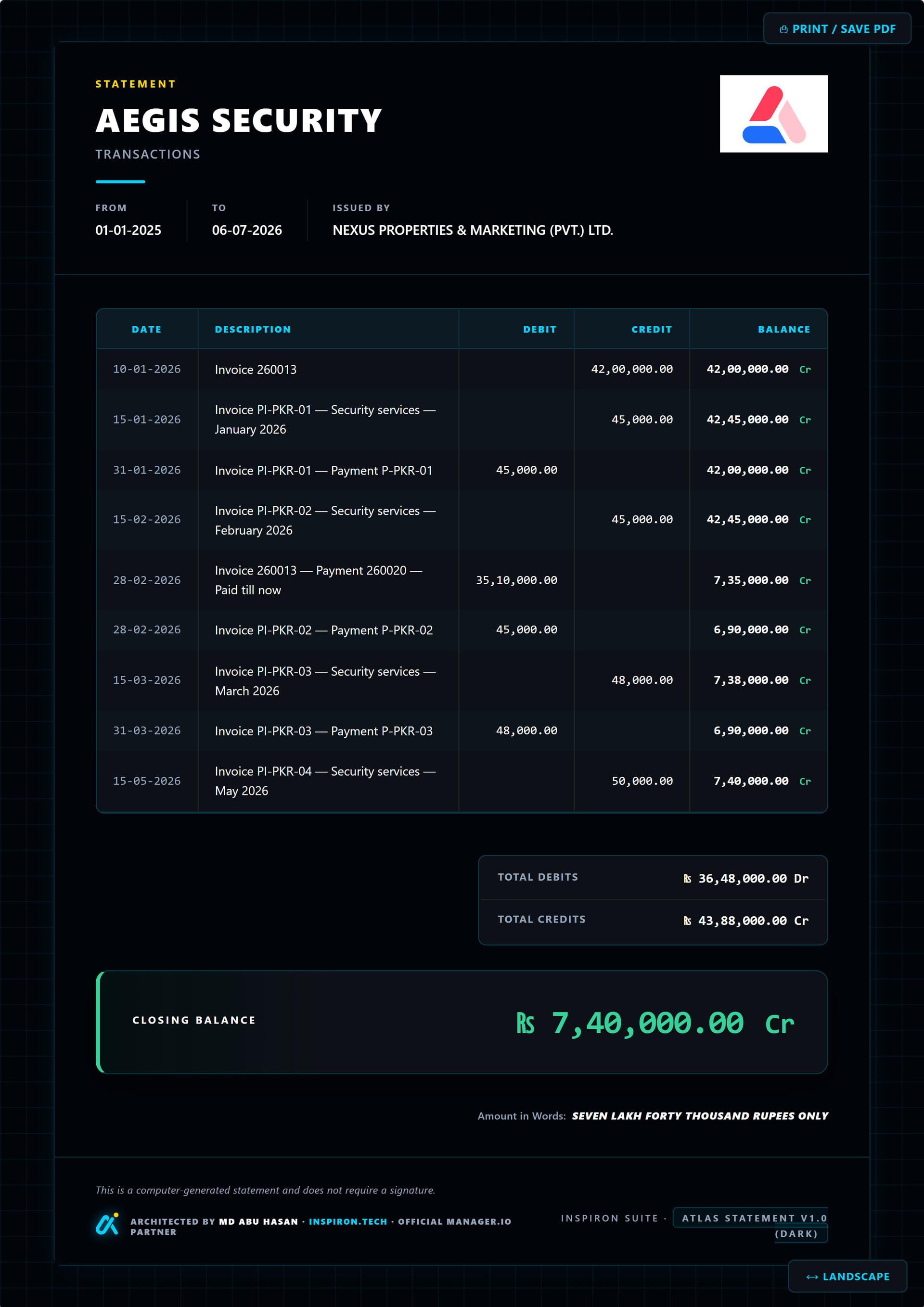
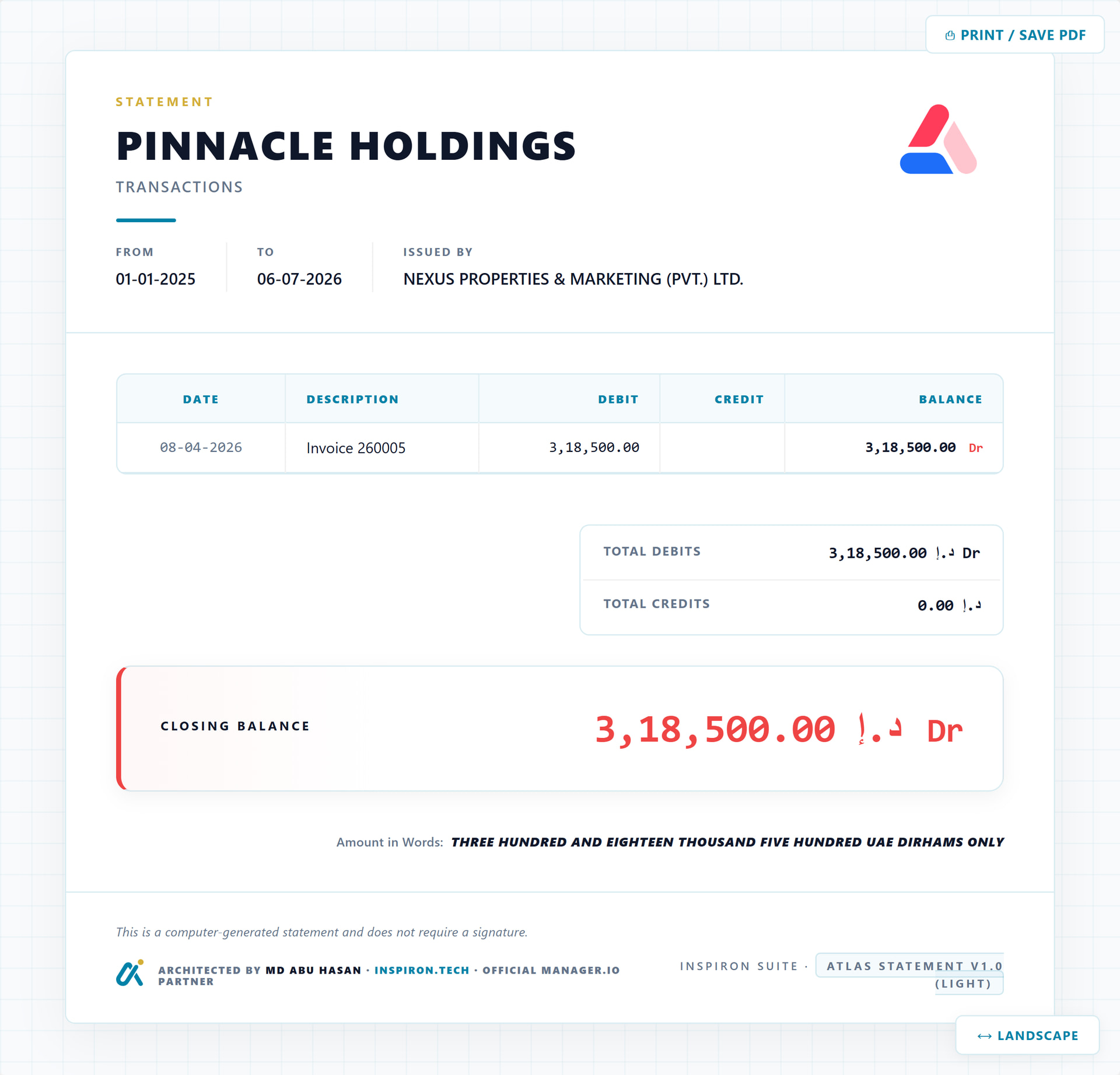
This is a different class of theme. Rather than an invoice layout, Atlas Statement is designed specifically for statement-of-account documents — the kind you send to a customer summarising their outstanding balance, transaction history, or account activity. It ships in two variants: Dark and Light.
 The Theme
| Theme Name | Variant | Design Aesthetic | Ideal For |
|---|---|---|---|
| Atlas Statement V1.0 | Dark | Deep navy-black canvas with electric cyan and vivid gold accents. Premium, command-centre feel. | Corporate account statements, high-value clients, screen/portal delivery |
| Atlas Statement V1.0 | Light | Clean slate-white paper with deepened cyan and precision gold. Professional, print-ready. | Standard account statements, PDF delivery, regulated markets |
 Standout Feature: Multi-Currency Summary + Portrait ↔ Landscape
The Customer Summary report renders all your customers, grouped by currency, in a single landscape-optimised statement. AED, BDT, USD — all on one page.

A Portrait ↔ Landscape toggle is built directly into the theme UI — one click, no settings, no re-export. Landscape mode gives wide transaction tables and multi-currency grids the horizontal space they need.
| Mode | Best For |
|---|---|
| Portrait | Standard single-currency statements, formal PDF delivery |
| Landscape | Multi-currency summaries, wide transaction tables, internal reporting |
 Features
All Manager.io statement archetypes are handled by a single theme file:
- All Statement Types Supported: Customer Statement (Transactions), Customer Statement (Unpaid Invoices), Supplier Statement (Transactions), Supplier Statement (Unpaid Invoices), Receipts & Payments Summary, Customer Summary (multi-currency grid).
- Portrait ↔ Landscape Toggle: Fixed UI button built into the theme. Switches the full document orientation in one click — print-safe.
- Amount in Words: Automatically renders the closing balance in written English below the figures. Useful for formal statements and regulated markets.
- Multi-Currency Native: Currency symbol, formatting, and Dr/Cr labels adapt automatically from the Manager.io data. Tested: PKR (Indian comma grouping), BDT, AED, USD.
- Native API Fetch: Fully built using the
/api4/view-v1standard. Zero dependency on legacypostMessageorwindow.addEventListenercode. - Perfect A4 Boundaries: Locked to
210mm×297mm. Custom@media printrules completely suppress browser margins, shadows, and frame borders. - Zero
innerHTML: Built from the ground up with no XSS surface. Every dynamic value is set viatextContentor DOM node creation. (Thank you @eko.) - Self-Hosted Fonts: Neo Sans Pro loaded from
resources/fonts/— no Google Fonts CDN, no internet dependency, no PDF rendering failures.
 Visual Previews
 1. The Dark Variant — Supplier Statement (Transactions)
 2. Customer Statement (Transactions) — Portrait vs Landscape
 3. Unpaid Invoices Archetype — Customer & Supplier


 4. Receipts & Payments Summary

 5. Multi-Page Flow — Supplier Transactions (Pages 2 · 3 · 4)
Footer anchors correctly across subsequent pages — no layout breaks, no overflow.


 How to Install
[Settings] ➔ [Themes] ➔ [New Theme] ➔ [Paste Code] ➔ [Save]
- Open Manager.io and navigate to
Settings➔Themes. - Click the New Theme button.
- Click one of the download links below and copy the complete HTML source code.
- Paste the code into the template field and click Create / Update.
- Select and apply the theme to your account statements.
Font note: These themes use Neo Sans Pro (self-hosted). Place the
.woff2/.wofffiles in aresources/fonts/directory alongside the theme, or the layout will gracefully fall back toSegoe UI/Arial/sans-serif— no layout breakage.
 Code Access (Direct Links)
The complete source code is hosted on GitHub:
- Download Atlas Statement V1.0 — DARK
- Download Atlas Statement V1.0 — LIGHT
 Browse the Full INSPIRON Suite Repository
 License & Attribution
Licence: Creative Commons Attribution 4.0 International (CC BY 4.0)
These themes are 100% free for all personal, commercial, and client business use. The code carries a small footer credit indicating it was architected by INSPIRON TECH. If you fork, modify, or integrate this code into commercial builds, preserving the attribution in your code is appreciated.
🔍 Developer Technical Specs (Click to expand)
- Engine: NEXUS Core Engine — custom rendering kernel built on
/api4/view-v1 - Security: Zero
innerHTML— all dynamic values viatextContent/ DOM node creation - Font stack: Neo Sans Pro (self-hosted woff2+woff, 5 weights: 300/400/500/700/900) with system fallback
- CSS variables: Full token system (
--cyan,--gold,--bg,--surface,--text,--muted,--border) - Print:
@page { size: A4; margin: 0; }with full browser chrome suppression - Orientation: Portrait ↔ Landscape toggle — fixed UI button, print-safe, no JS re-layout required
- Amount in Words: Pure JS English numeral renderer — multi-currency label support, no external library
- Debug overlay: Built-in dev panel (theme ID, version, archetype, row count) — visible during development only
If you run into any edge cases — unusual currency formatting, long description columns, or layout issues on specific Manager.io editions — please reply below with a screenshot and I will push a patch.
Best regards,
MD ABU HASAN


